estonian-scrabble
Estonian Scrabble



Note: This project was originally bootstrapped using AI-assisted programming (Cursor IDE + Claude) in 2025. The web multiplayer version was built with Claude Code in 2026.
A Scrabble board game for the Estonian language with web-based multiplayer. Play with friends online — no installation or registration needed. Supports Estonian special characters (õ, ä, ö, ü, š, ž) with full morphological word validation via Hunspell.
Play now: klauseduard.duckdns.org/scrabble
Keywords: scrabble, estonian language, word game, multiplayer, web game, python, fastapi, websocket
Prerequisites
Before you begin, ensure you have the following installed:
- Python 3.8 or higher
- Windows: Download and install from python.org
- Linux: Usually pre-installed, or install via package manager:
sudo apt-get install python3 # For Ubuntu/Debian sudo dnf install python3 # For Fedora - macOS: Install via Homebrew:
brew install python3
- pip (Python package installer)
- Usually comes with Python installation
- To verify, open terminal/command prompt and run:
pip --version # or pip3 --version
Installation
- Download the Game
- Download this repository as a ZIP file and extract it
- Or if you’re familiar with git:
git clone https://github.com/klauseduard/estonian-scrabble.git
cd estonian-scrabble
- Open Terminal/Command Prompt
- Windows: Press Win+R, type
cmd, press Enter - macOS: Press Cmd+Space, type
terminal, press Enter - Linux: Press Ctrl+Alt+T
- Windows: Press Win+R, type
- Navigate to Game Directory
cd path/to/scrabble # Replace with actual path - Install Dependencies
pip install -r requirements.txt # or pip3 install -r requirements.txt - Run the Game
python main.py # or python3 main.py
Web Version
The game includes a web-based multiplayer mode using WebSockets.
Run locally
pip install -r requirements-server.txt
uvicorn server.app:app
Then open http://localhost:8000 in your browser.
Run with Docker
docker compose up --build
Then open http://localhost:8080 in your browser.
Deployment
Fly.io (free tier available):
fly launch          # first time
fly deploy          # subsequent deploys
Railway: connect your GitHub repo and Railway will auto-detect the Dockerfile.
Quick sharing with ngrok:
uvicorn server.app:app --port 8080
ngrok http 8080
Share the ngrok URL with friends to play remotely.
Features
- 2-4 players on separate devices via WebSocket
- Real-time board updates, score preview, turn notifications
- In-game chat with system messages for moves and challenges
- Word challenge — dispute any move, ask the player to take it back
- Force submit (“Palu heakskiitu”) — play words not in the dictionary if all players approve
- Reconnection — rejoin a game if your browser crashes
- Rack reordering — drag tiles to rearrange your rack
- Tile exchange — swap tiles with the bag
- Public lobby — find open games or create your own
- Estonian UI — full Estonian interface
Screenshots
Web Version
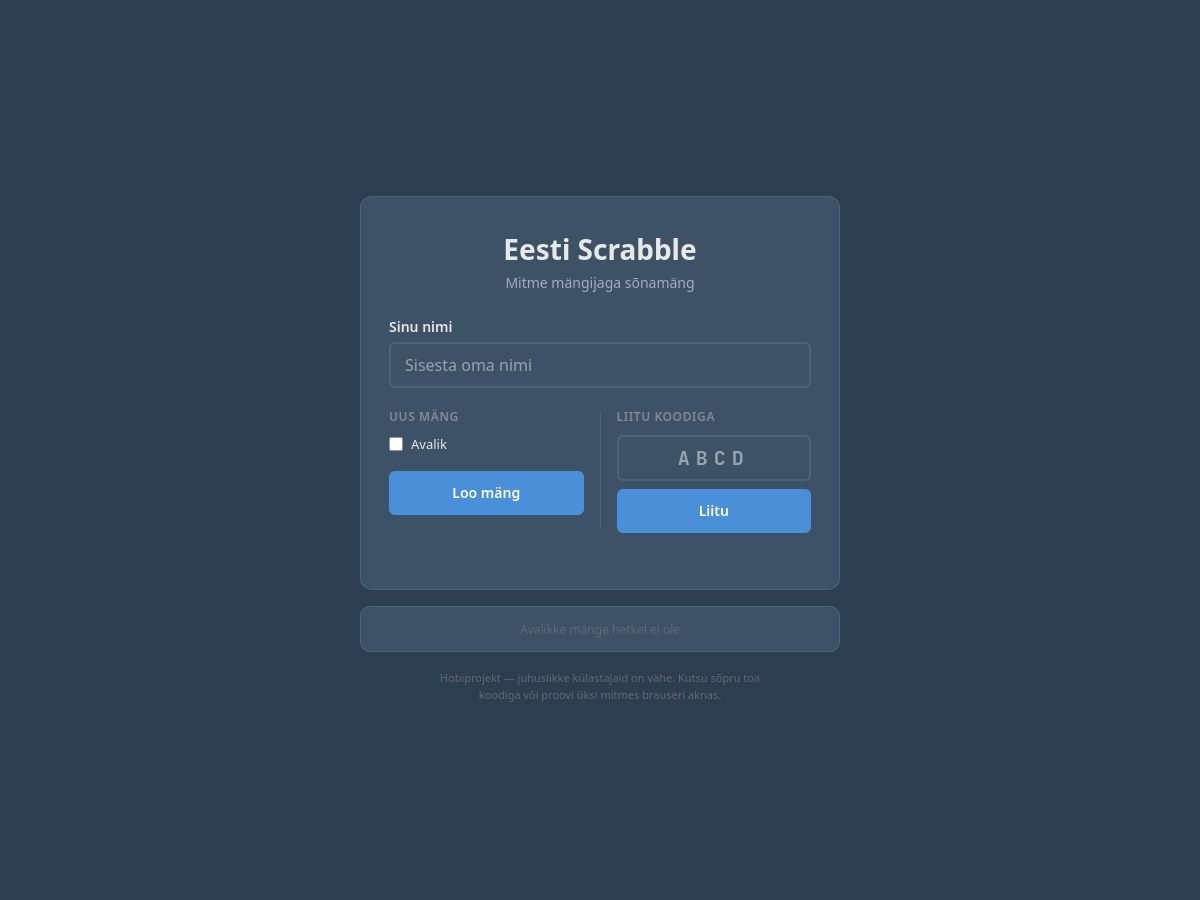 Lobby — create a new game or join with a room code
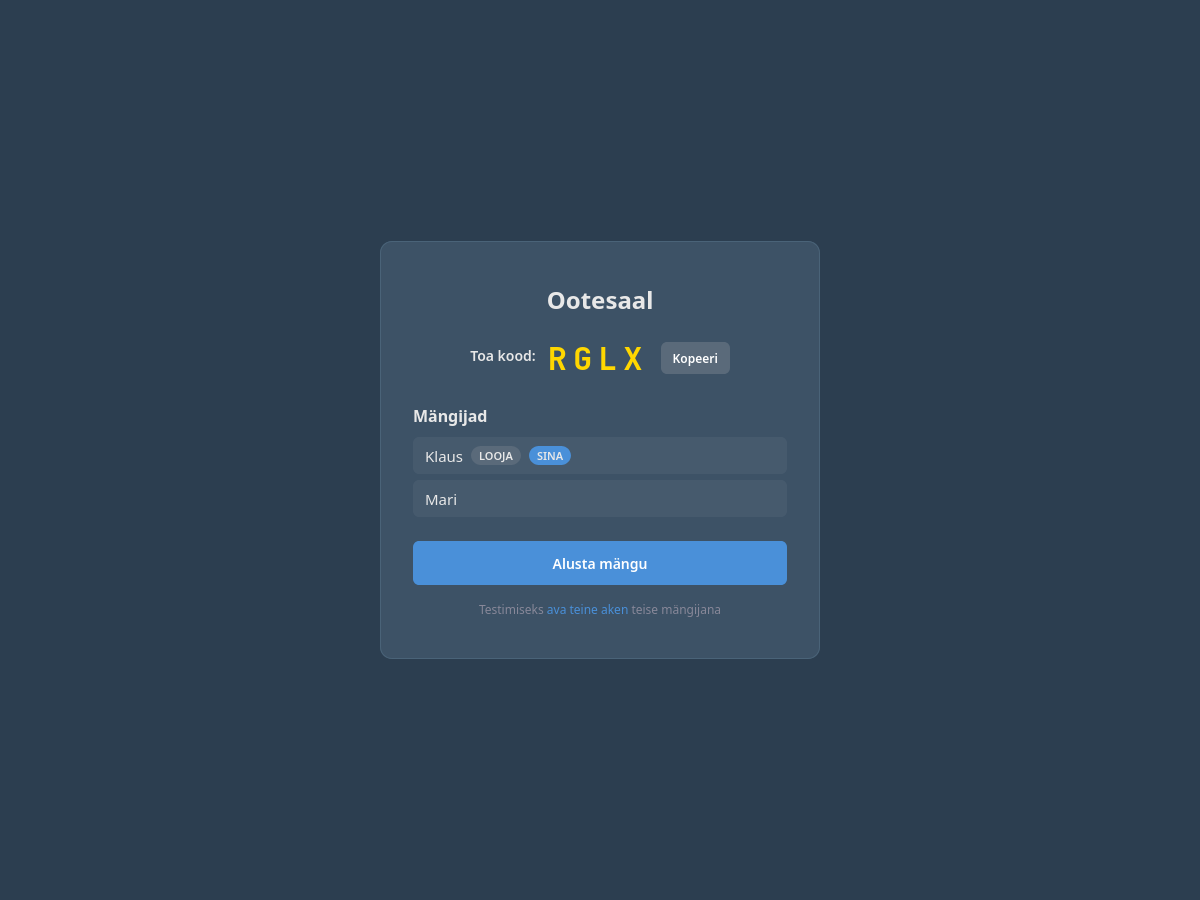 Waiting room — share the room code with friends
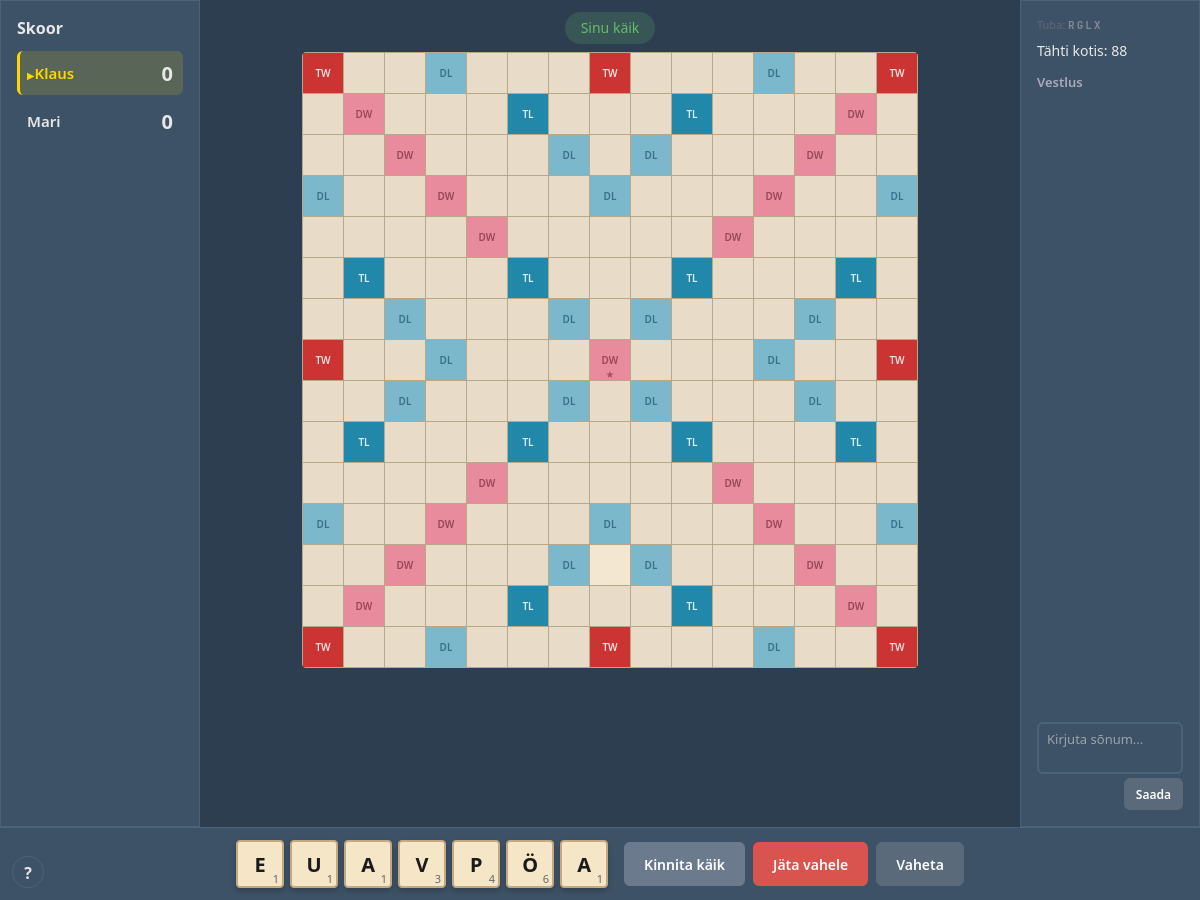 Game board with scores, tile rack, and chat
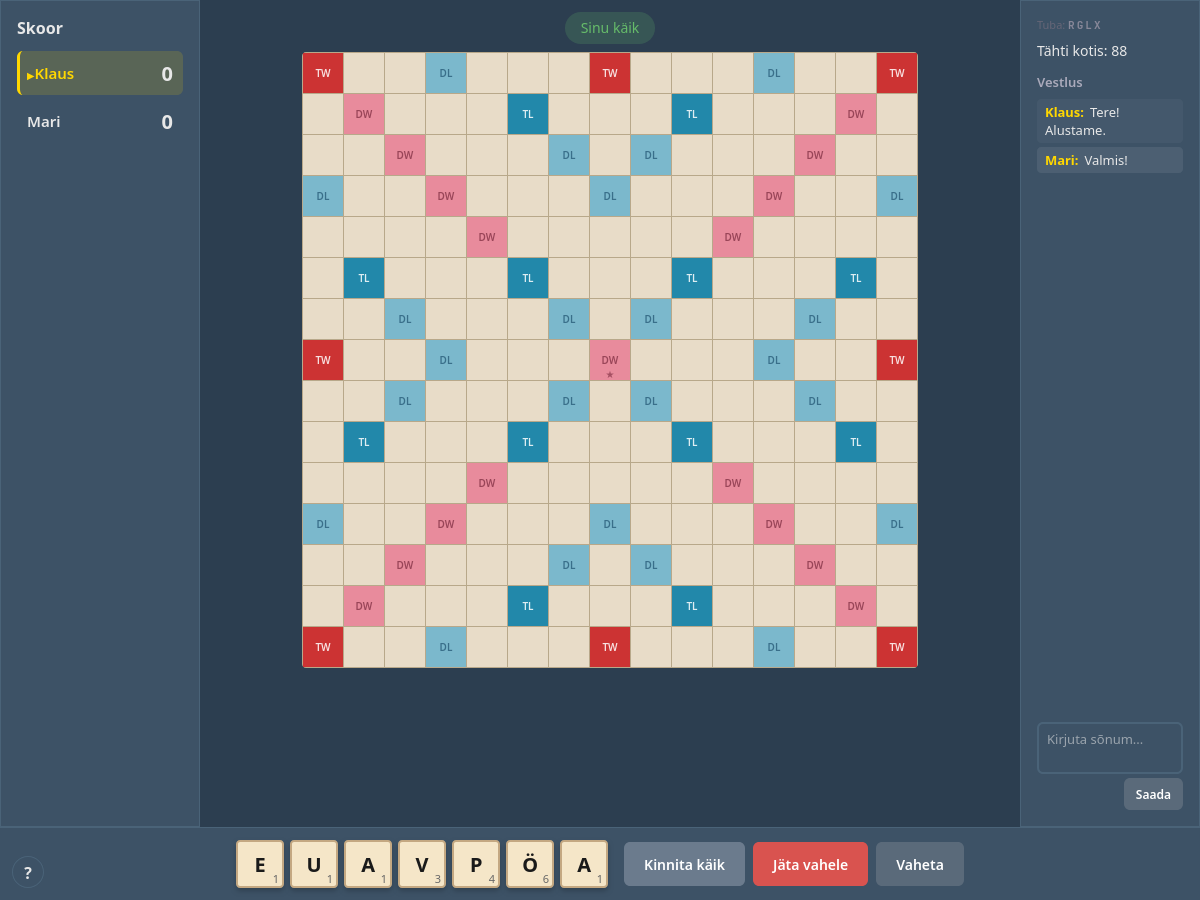 In-game chat with system move notifications
Desktop Version (Pygame)
Screenshots show the Pygame desktop version, which is still available.
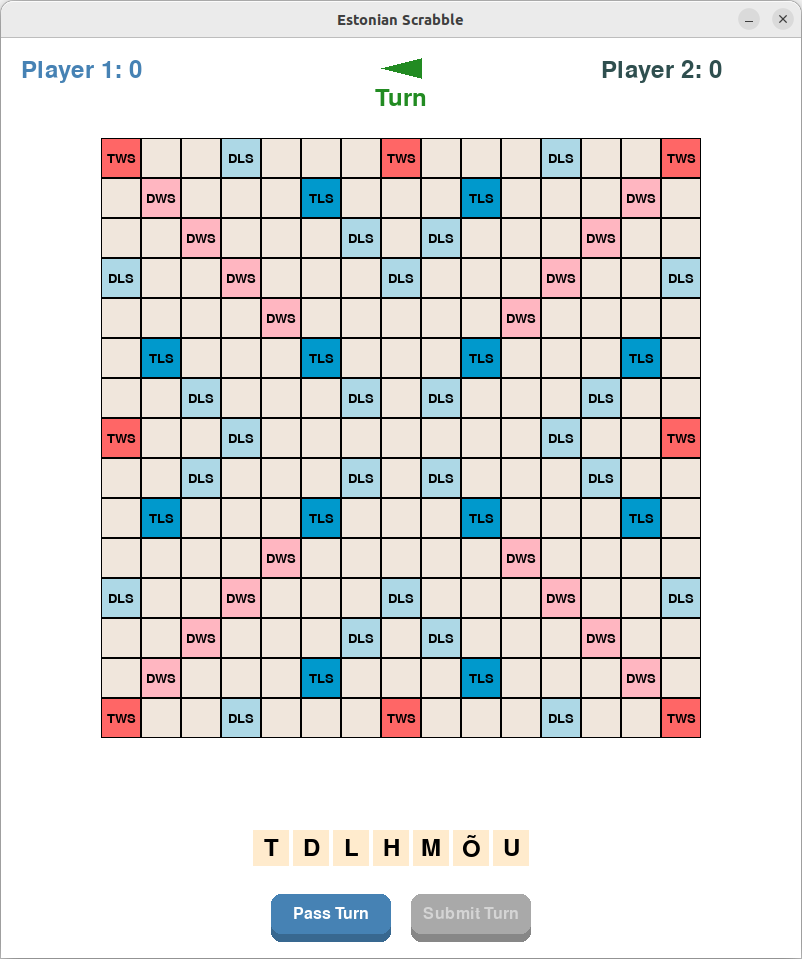 Desktop game board with premium squares
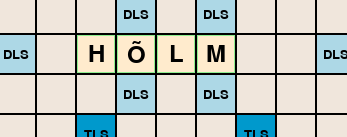 Valid word placement (green highlight)
How to Play
Web Version
- Open the game at klauseduard.duckdns.org/scrabble
- Enter your name and create a new game or join with a room code
- Share the 4-letter room code with friends
- Click or drag tiles from your rack to the board
- Right-click (or tap) placed tiles to return them to your rack
- Click Kinnita käik to submit your word
- If the dictionary rejects your word, click Palu heakskiitu to ask other players
Desktop Version (Pygame)
- Run
python main.py - Select number of players (2-4) and enter names
- Drag tiles from rack to board, right-click to remove
- Click “Submit Turn” or “Pass Turn”
Troubleshooting
- Web version: Works in any modern browser. If WebSocket connection fails, check that your network doesn’t block WebSocket traffic.
- Desktop version: Requires Python 3.8+ and Pygame. Run
pip install -r requirements.txtto install dependencies. - Estonian characters: The web version handles all Estonian characters. For the desktop version, ensure your system supports UTF-8.
Getting Help
Report bugs or suggest features: GitHub Issues or email klaus.eduard@gmail.com
Features
- Full Estonian alphabet support including õ, ä, ö, ü, š, ž
- Visual feedback for valid/invalid word placements
- Drag-and-drop tile placement
- Real-time word validation
- Premium square scoring system
- Support for 2-4 players
Project Structure
├── game/                   # Game logic and state management
│   ├── __init__.py        # Package exports
│   ├── constants.py       # Game constants (letter distribution, premium squares)
│   ├── state.py           # Core game state management
│   └── word_validator.py  # Word validation logic
├── ui/                    # User interface components
│   ├── __init__.py        # Package exports
│   ├── components.py      # UI components (Board, Tile, Rack, ScoreDisplay)
│   └── language.py        # LanguageManager for Estonian/English i18n
├── tests/                 # Unit tests
│   ├── test_game_state.py
│   └── test_word_validator.py
├── docs/                  # Additional documentation
├── main.py                # Main game entry point
├── wordlist.py            # Hunspell dictionary integration (spylls)
├── tools/
│   └── patch_dictionary.py # Patches the dictionary for Scrabble (issue #32)
├── data/
│   ├── extra_words.txt    # Words to accept beyond the dictionary
│   └── blocked_words.txt  # Words to reject despite the dictionary
├── requirements.txt       # Python dependencies
└── README.md              # This file
Game Rules
- The game follows standard Scrabble rules with adaptations for Estonian alphabet
- Supports Estonian special characters (õ, ä, ö, ü, š, ž)
- Uses Estonian wordlist for word validation
- Premium squares follow standard Scrabble board layout
Development
Architecture
The project follows a modular architecture with clear separation of concerns:
- Game Logic (
game/):state.py: Manages game state, player turns, and tile placementword_validator.py: Handles word validation and scoringconstants.py: Contains game constants and configuration
- User Interface (
ui/):components.py: Reusable UI components- Handles user input and visual feedback
Running Tests
The project includes automated tests to verify game logic and behavior:
# Run all tests
python3 -m unittest discover tests

# Run specific test file
python3 -m unittest tests/test_word_validator.py

# Run tests with verbose output
python3 -m unittest -v tests/test_word_validator.py
Key test areas:
- Word validation and scoring
- Tile placement rules
- Game state management
Adding New Features
When adding new features:
- Determine which module should contain the new code
- Add appropriate tests
- Follow the existing code style
- Update documentation
Code Style
- Use type hints for function parameters and return values
- Follow PEP 8 guidelines
- Write docstrings for classes and functions
- Keep functions focused and single-purpose
Contributing
- Fork the repository
- Create a feature branch
- Make your changes
- Submit a pull request
Future Ideas
- AI opponent with adjustable difficulty
- Statistics tracking (highest scores, longest words)
- Save/resume games across server restarts
- Word list from EKILEX for authoritative validation (the Hunspell dictionary is patched against known false positives; report leftovers via
data/blocked_words.txt)
License
This project is open source and available under the MIT License.